Register Webhooks
Webhooks tell your system when a record changes, such as a party's KYC/AML result or a trade's status, so you do not have to poll for it. Register them now, before you create investor records: a webhook is sent only for calls made while a registration for that method exists, and past events are not replayed.
This page walks through setup. For how webhooks behave, what each request contains, and the fields each method sends, see the Webhooks reference.
Before You Start
- An offering in the sandbox.
- Access to the Transact Portal for your sandbox client.
Steps
1. Choose the methods to register
Webhooks are registered per API method. The methods below cover a typical primary-offering integration, from onboarding through payment:
| Method | Sent when | Reference |
|---|---|---|
createParty | An individual party is created. Includes the party's KYC and AML status when set. | Parties and Entities |
updateParty | An individual party is updated. | Parties and Entities |
performKycAmlBasic | A basic KYC/AML check completes, with its kycstatus and amlstatus. | KYC/AML and Accreditation |
createTrade | A trade is created. | Trades |
updateTradeStatus | A trade's status changes, for example from CREATED to FUNDED. | Trades |
updateExternalFundMoveStatus | An ACH transfer's status changes, for example from Pending to Submitted. | ACH and External Accounts |
updateDocuSignStatus | A subscription document's DocuSign status changes, for example to SIGNED. | Trades |
Add others as your integration needs them. For example, register createAccount and createLink if you track accounts and links, linkExternalAccount if investors link bank accounts through Plaid, updateCCFundMoveStatus for card payments, and updateAiVerification for accredited investor verification. The Method Reference lists every method, when it is sent, and the fields it carries.
Register the exact method name your integration calls. A webhook matches the name of the endpoint that was called, not a related method.
2. Prepare an endpoint
Your endpoint must accept an HTTPS POST with a form-encoded body and return a 2xx status within 5 seconds. Its certificate must be valid and issued by a trusted certificate authority. See Request Format and Delivery.
For development, you can run a local listener and expose it over HTTPS with a tunnelling tool such as ngrok:
-
Create a listener with Node.js and Express:
Save this as
server.js:const express = require("express"); const app = express(); app.use(express.urlencoded({ extended: true })); app.post("/webhooks", (req, res) => { console.log("Webhook received:", req.get("User-Agent"), req.body); res.sendStatus(200); }); app.listen(3000, () => console.log("Listening on port 3000")); -
Start it with
node server.js. - In another terminal, expose it with
ngrok http 3000, and copy thehttps://forwarding URL. Your webhook URL ishttps://<your-ngrok-host>/webhooks.
3. Register each method in the Transact Portal
-
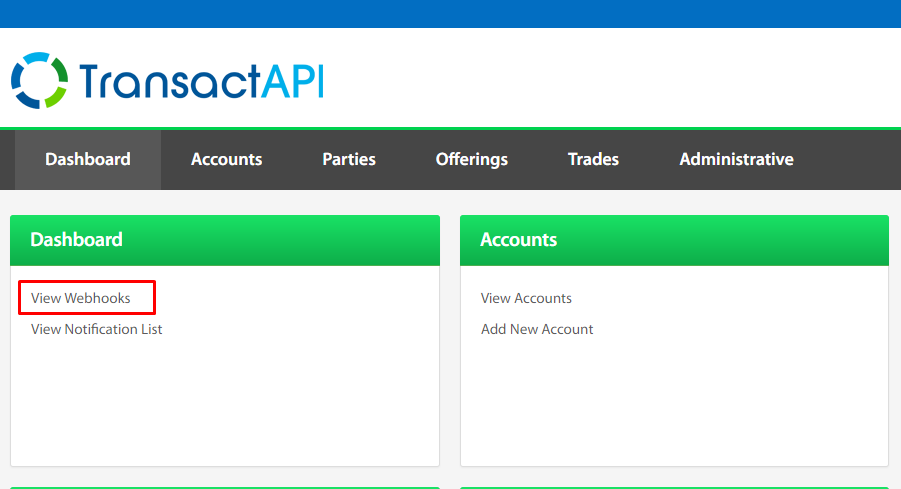
In the Transact Portal, open the Dashboard and select View Webhooks under Administrative.
-
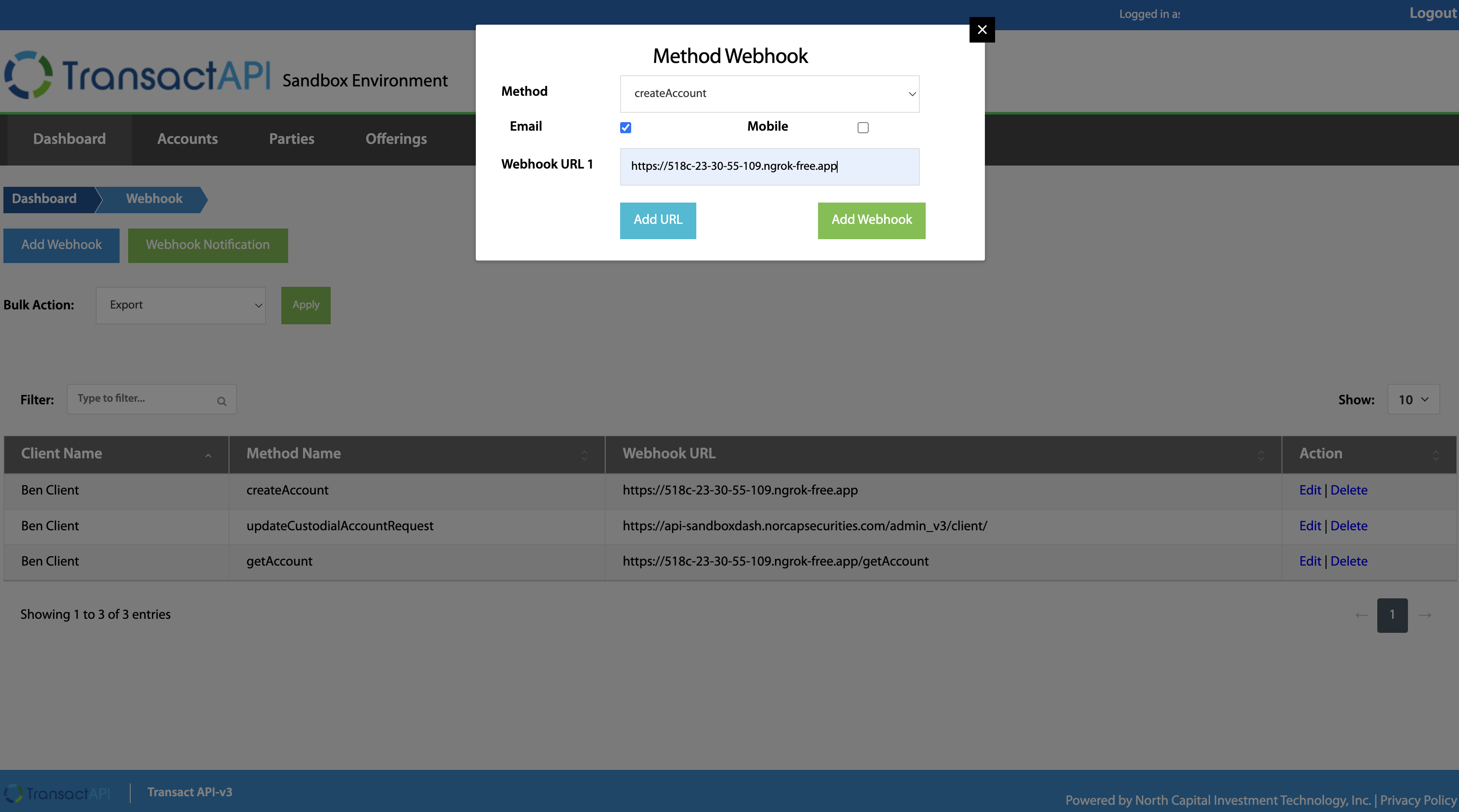
Select Add Webhook, choose the API method, and enter your endpoint as Webhook URL 1. Add more URLs to deliver the same webhook to several endpoints.
-
Select Test beside each URL to confirm the endpoint answers before you save. The result shows the HTTP status your endpoint returned, or the connection error. The test request is a
POSTwith the fieldsevent=webhook_testandtimestamp. - Save the webhook, then repeat for the next method.
Webhook URLs must use HTTPS. Enter each URL exactly, with no leading or trailing spaces.
4. Add email notifications (optional)
A webhook registration can also send an email each time the method fires, for example to alert an operations mailbox when a trade is created:
-
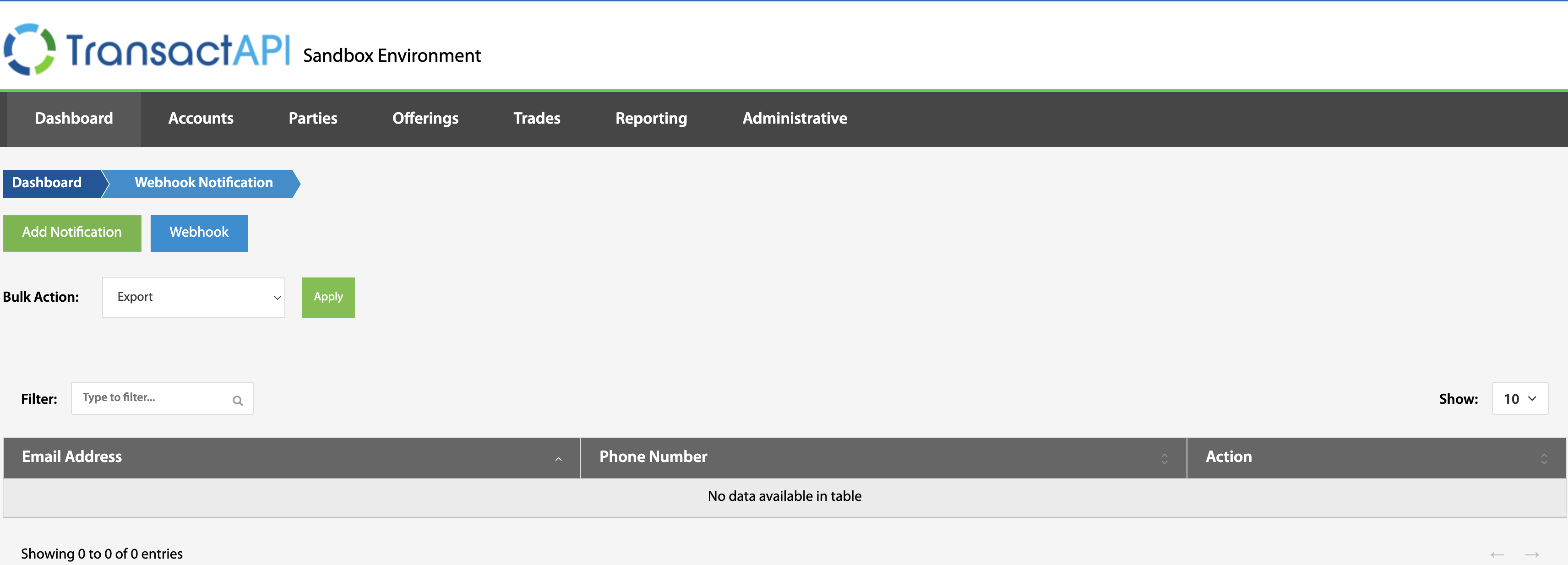
Select View Notification List on the Dashboard and add the email addresses that should receive notifications.
-
On the webhook registration, select the Email checkbox.
Email notifications require a webhook registration for the method.
5. Confirm delivery
With the registrations saved, continue to Onboard Investors. When you create your first party, your endpoint receives a createParty webhook such as:
Before you go live, make sure your receiver follows the Delivery guidance: respond quickly, reconcile with the resource endpoints, and handle repeats. If a firewall or WAF protects your endpoint, allow the traffic as described in Identifying Webhook Traffic. To receive encrypted payloads, see Setting Up Encrypted Webhooks.
Common Problems
| Symptom | Cause |
|---|---|
Test returns a connection error or a non-2xx status. | The URL is not reachable over HTTPS, its certificate is not trusted, or the endpoint rejected the request. |
| A method runs but no webhook arrives. | No registration exists for that exact method name, the call did not succeed, or a firewall blocked the request. |
| Webhooks work in the sandbox but not in production. | Sandbox and production are separate environments with separate client IDs. Register your webhooks again in the production Transact Portal. |
Next
Onboard Investors: create parties and accounts for the people and entities who invest.