Bulk Action
Dashboard > Accounts > Bulk Action selection > Apply
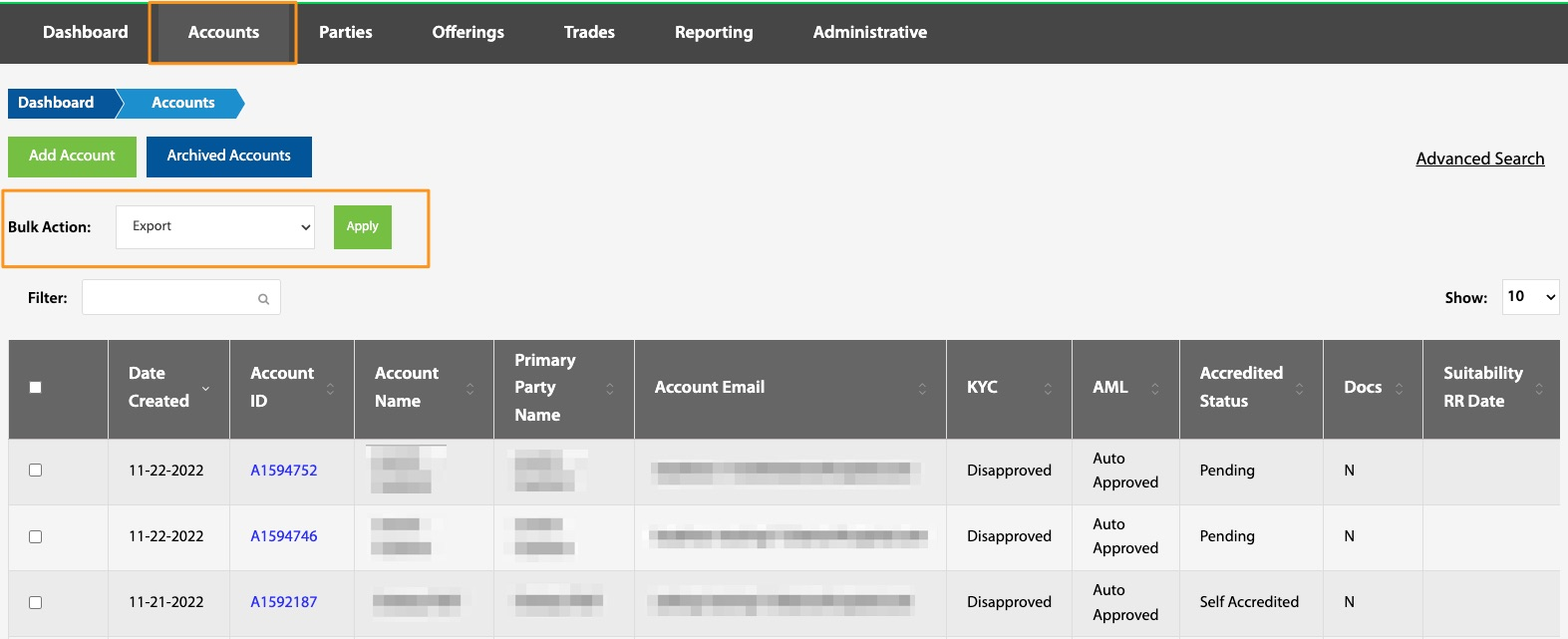
Due to regulations, account data can not be permanently deleted, but can be archived. Account data can be either exported or archived individually or in bulk. To do this, select the box next to the desired account(s), choose desired action (export or archive) from the dropdown box, and select Apply. This information can also be exported from the Reporting page; see Reporting View.
Export
This export contains the following fields specific to the trade and the return request including, but not limited to: account ID, type and creation information, and accreditation information.