Admin Guide
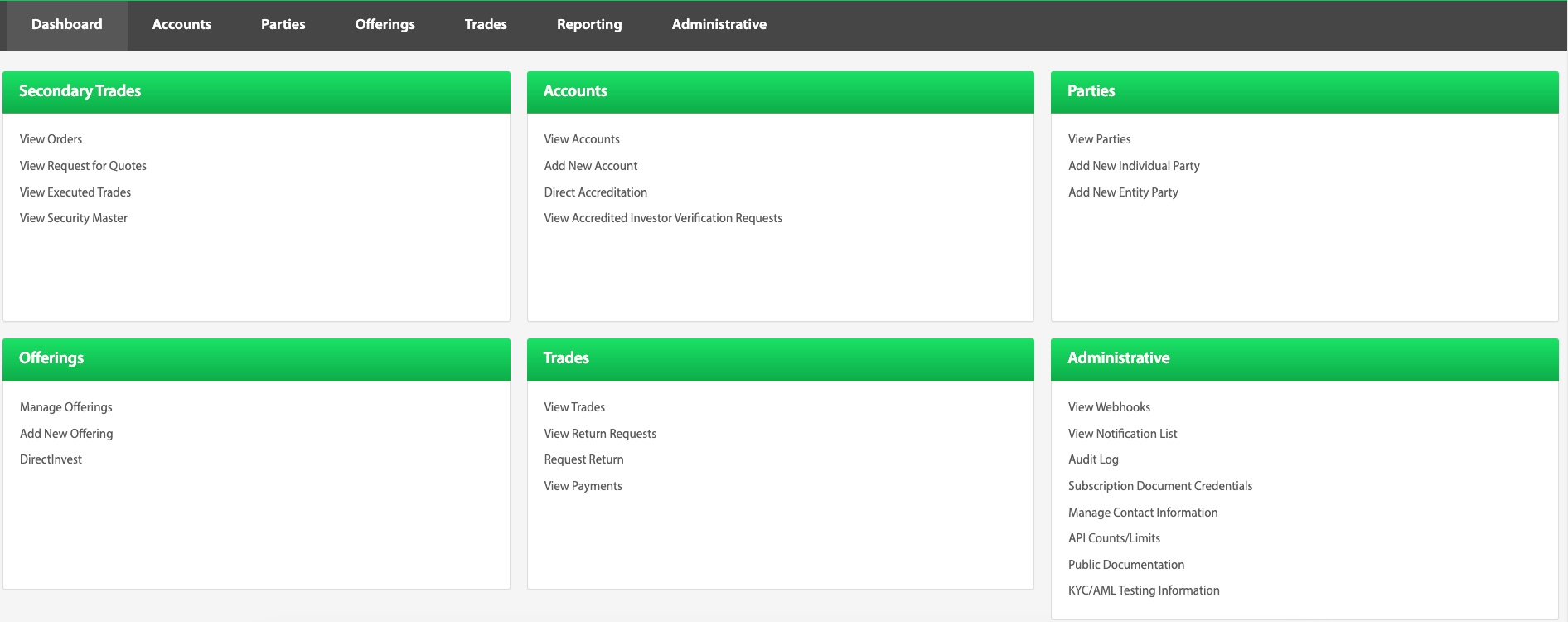
The Transact Portal is the web interface for running your investment platform on TransactAPI. Operations and compliance staff use it to find and update investor records, review KYC/AML and accreditation, manage offerings and trades, export reports, and administer users, API keys, and webhooks. Most actions in the portal use the same API methods your integration calls.
This guide explains each area of the portal. If you are building an integration, see the Developer Guide instead.
Signing In
Each environment has its own portal and its own users:
| Environment | Transact Portal |
|---|---|
| Sandbox | api-sandboxdash.norcapsecurities.com |
| Production | api.norcapsecurities.com |
Users with account-owner permissions add other portal users; see Client User.
How This Guide Is Organized
The guide follows the portal's navigation.
| Section | What it covers |
|---|---|
| Dashboard | The landing page and its quick links to every area of the portal. |
| Accounts View | Investor accounts: adding, editing, archiving, suitability, bank and card details, and accreditation requests. |
| Parties View | Individual and entity parties, and their KYC/AML checks. |
| Offerings View | Offerings, issuers, and DirectInvest Buttons. |
| Trades View | Trades, trade and payment statuses, return requests, and bulk uploads. |
| Reporting View | Exports and reports across trades, parties, and accounts. |
| Administrative View | Users, developer API keys, webhooks, and test data for the sandbox. |
Common Tasks
- Add an investor: Add New Individual Party, then Add Account.
- Review KYC/AML results: KYC/AML General Information.
- Create a trade for an investor: Create Trade.
- Understand a trade's progress: Trade Statuses and Payment Statuses.
- Handle a return: View Return Requests.
- Add a portal user: Client User.
- Set up webhooks: Administrative Directory.
- Test KYC/AML outcomes in the sandbox: KYC/AML Testing Information.